istanacash Casino & Sportsbook Mobile App
We at istanacash built our mobile app to bring live-dealer tables, sportsbook coverage, and slot games directly to your device. Whether you access istanacash through Android, iOS, or a web browser, our platform maintains the same account, payment methods, and withdrawal flow across all paths. Mobile-first design means faster load times, offline caching for key features, and push notifications for live-table availability and Liga 1 match updates.

- SHA256 Match
- and
- LoginOTP Verification
Our istanacash app supports deposits and withdrawals via e-wallet, mobile banking, local payment, online payment, e-wallet, mobile banking, local payment, online payment, e-wallet, and mobile banking. Account verification happens once during registration and carries across all devices. We keep your session secure through standard encryption and do not store payment credentials on your device.
Installation takes under two minutes. We offer three paths: Android APK download, iOS browser access with home-screen shortcut, and a responsive web version for any device. All three connect to the same istanacash account and live-dealer studios.
Getting istanacash on your device
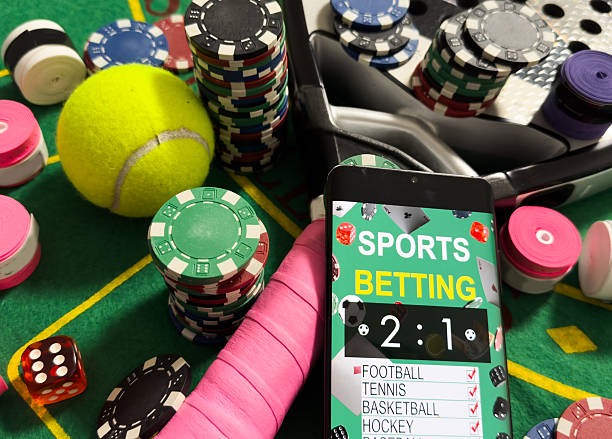
We designed istanacash for low-bandwidth environments. The app caches table layouts and game menus so you can browse even on weak connections. Live-dealer streams adapt to your network speed, and push notifications alert you when your preferred table opens or when a Liga 1 match is about to start.
Installation and setup on istanacash
Android installation
- Download the istanacash APK from our app page.
- Open your device settings, navigate to Security, and enable "Unknown sources" to allow installation from outside the Play Store.
- Tap the downloaded APK file and follow the on-screen prompts to install.
- Open istanacash, create or log into your account, and verify your mobile number and email.
Android 7 and above are supported. The app requests permissions for camera access (for account verification photo), microphone (for live-dealer chat), and location (optional, for regional payment method detection). You can revoke any permission in your device settings without affecting core functionality.
iOS and Safari
We do not distribute an iOS app through the App Store. Instead, open Safari on your iPhone or iPad, navigate to istanacash.bet, and tap the Share button. Select "Add to Home Screen" to create a shortcut. This shortcut opens istanacash in full-screen mode and behaves like a native app. Your account, payment methods, and withdrawal history sync across Safari and the home-screen shortcut.

Web app access
Our responsive web version works on any device with a modern browser. No download or installation is needed. Log in with your istanacash username or email, and your account, live-dealer table access, and payment options are immediately available. The web app stores your session locally so you stay logged in across browser sessions.
Why choose app vs. browser
- Android app: fastest performance, offline caching, push notifications for table updates
- iOS Safari shortcut: no app store approval needed, same speed as web version
- Web app: works on any device, no storage space required, easiest to update
Device compatibility and troubleshooting
We support Android 7 and above, and iOS 12 and above. Older devices may experience slower load times or missing features. If you encounter installation errors on Android, ensure you have enabled "Unknown sources" in Security settings and that your device has at least 50 MB of free storage. For iOS, clear your Safari cache (Settings → Safari → Clear History and Website Data) and try adding istanacash to your home screen again.
If the app crashes on launch, uninstall and reinstall it. If you see a certificate warning in Safari, this is normal for the first visit; tap "Continue" to proceed. We use industry-standard SSL encryption, and your connection is secure. If you cannot log in after installation, verify that your username and password are correct, and check that your account has completed email verification.
We at istanacash protect your data through encryption and do not store payment card details on your device. Permissions requested by the app (camera, microphone, location) are used only for account verification, live-dealer interaction, and regional payment detection. You can disable any permission in your device settings. Your account session is tied to your device; logging out on one device does not affect your session on another.
Our istanacash platform is available only where local law permits. Users are responsible for verifying that access and use comply with the laws of their jurisdiction. We do not offer our services in jurisdictions where online wagering is prohibited. If you have questions about app functionality, account access, or payment methods, contact our support team through the in-app help menu or the contact form on our website.